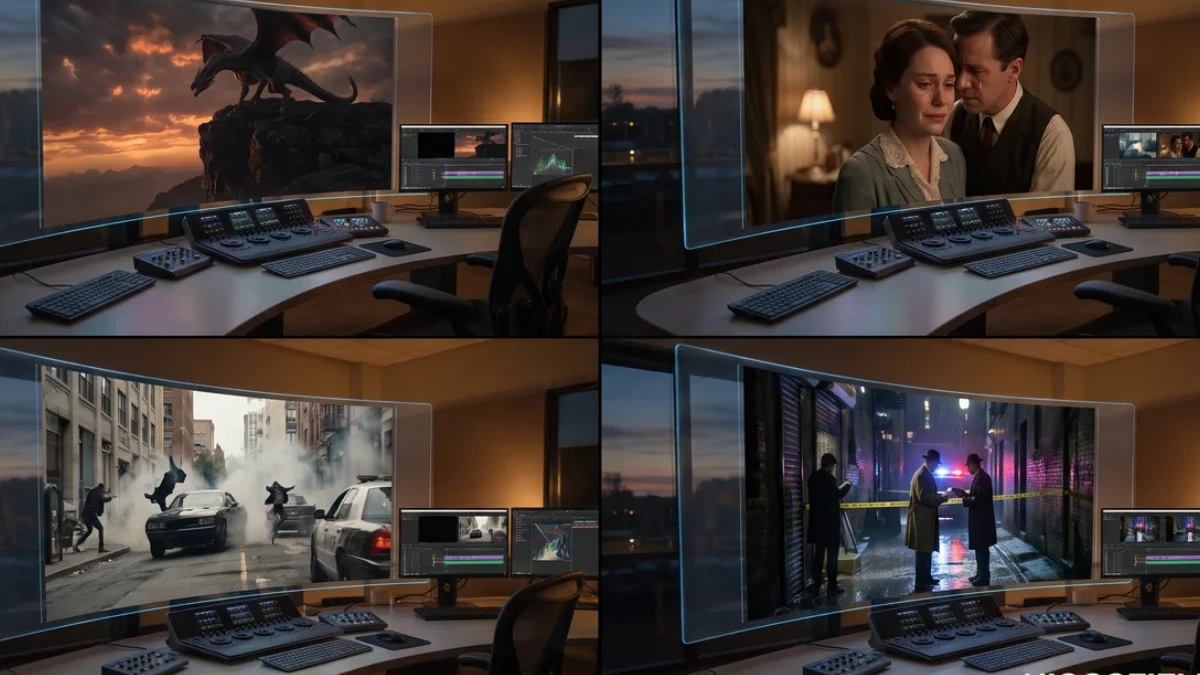
The Best AI Video Generators: Seedance, Kling, Grok, Omni
All videos were generated using the highest quality settings. For comparison, we used Seedance 2 at 4K resolution with a high bitrate, Kling 4K with a high bitrate, Grok at 720p resolution, and Google Omni, which initially generates videos at 720p resolution but allows the resolution to be increased to 1080p after generation.
The first test used a reference image of a girl pointing at ice cream. The task was to generate a first-person scene in which a clerk serves a customer at an ice cream parlor. According to the scenario, the girl points to a specific flavor, the clerk confirms the order, receives confirmation, and begins to scoop the selected ice cream.
When watching the videos, it immediately becomes clear that some models misunderstood the direction in which the girl was pointing. This affects the realism of the entire scene.
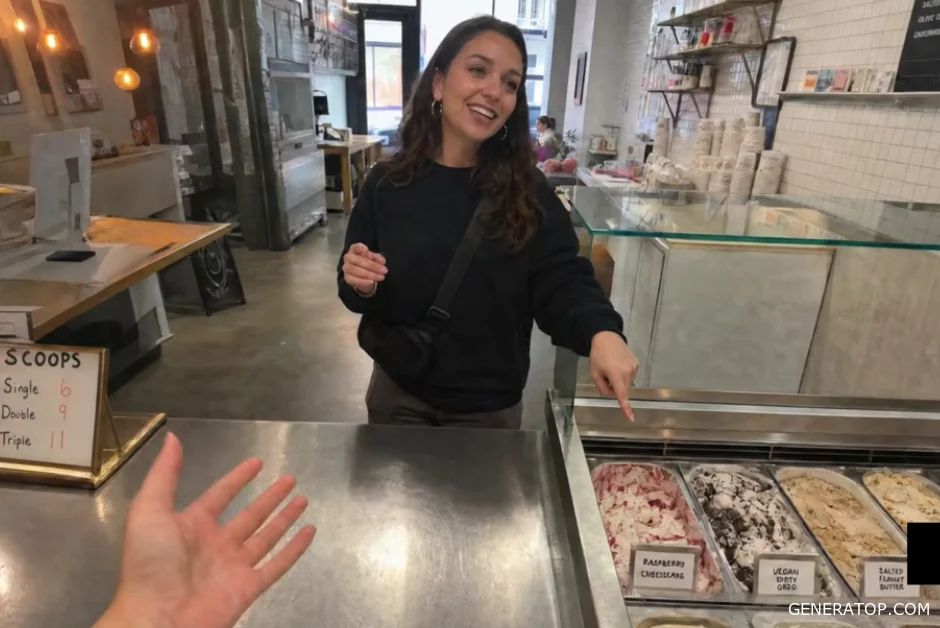
After analyzing the results, several aspects are evaluated at once: the physics of movement, the quality of the voice acting, the naturalness of the voices, and the realism of the characters’ actions.
In the first episode, problems are noticeable right from the very first frame. The movement physics look unnatural, so it is recommended to choose an opening shot format more suitable for this generation of viewers. The third version turned out to be the most successful. The voices sound the most natural for both the customer and the salesperson. The process of choosing ice cream also looks convincing.
Second place was practically a tie between the second and fourth versions. The main problem is that the character almost deliberately chooses a different ice cream flavor than the one the girl selected. However, the voice acting in the fourth version sounds better, so it receives a higher rating. The first version received the lowest rating due to poor motion physics and a large number of visual errors.
After the results were announced, it turned out that Seedance was the best model in this test, Google Omni took second place, Kling came in third, and Grok came in last.
The next test focuses on creating a video based solely on a text description.
The following scenario is used: a stormy sea, a pirate ship sailing toward the edge of a huge chasm. Then the captain appears, laughing maniacally and clinging to the mast. One of the crew members warns him that they need to change course. After that, the captain pushes the sailor away and orders the ship to proceed at full speed.
During the comparison, it becomes clear that not all models are capable of completing this task.
Grok does not support video generation based solely on text at all. It requires a source image to function, so in this test, it automatically comes in last. The last option turned out to be the most successful. Although the deep chasm isn’t depicted as clearly, the physics of the action and the voiceover seem the most convincing. The first option took second place. It includes almost all the necessary elements of the scene, but the quality of the voiceover was slightly worse. The third option only merits a bronze medal.
The next test focuses on motion transfer.
The task uses a photo of the author and a video clip of a person dancing. The goal is to completely transfer the person’s movements from the first video onto the character in the photo. After analyzing the results, it becomes apparent that some models even replace the original background music with their own.
The first version is considered the best. It most accurately captures the movements and preserves the character’s facial features. The last version takes second place. The second version takes third place. In this version, the face is severely distorted, and the movements look unnatural.
Grok was again excluded from the comparison because it lacks motion control capabilities. After the results were announced, it turned out that Seedance once again took first place, Google Omni took second, and Kling took third.
The next test evaluates speech quality and lip-sync.
The test uses a frame as its starting point, showing a boy and a girl talking in a flower field during “golden hour.” The dialogue unfolds as follows. The girl asks what age the boy would choose if he could stay that age forever. He replies that he would choose his current age. The girl asks why. The boy shrugs and says he just likes himself the way he is. After that, the girl laughs.
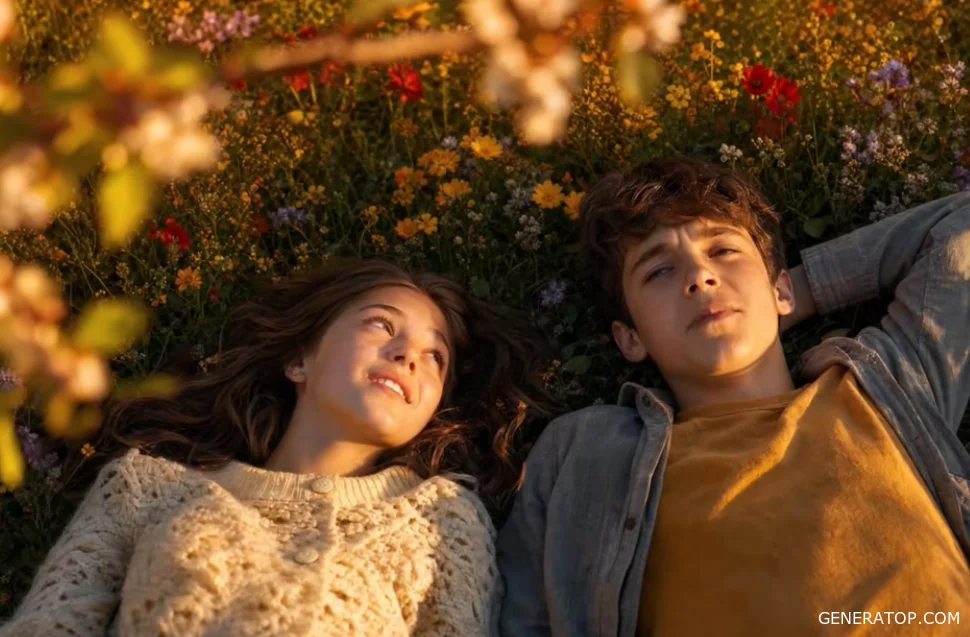
After reviewing all the results, the participant who submitted the best entry is declared the winner. The third-best entry takes second place. The second-best entry takes third place.
The Google Omni system was unable to generate this scene because it determined that it violated the moderation rules. After the models were presented, Grok demonstrated the best speech synchronization, followed by Seedance in second place and Kling in third.
The next test focuses on complex tasks.
The scene depicts two men sitting by a pool. The scenario consists of five different frames with varying camera angles and interactions between the characters and several young women. While watching the second version, an interesting detail catches the eye. As the characters approach each other, one of them unexpectedly turns in the opposite direction. This behavior seems unusual, but at the same time quite natural.
The final version was deemed the best. Choosing between second and third place proved much more difficult. The third version almost completely follows the script’s instructions, but the voice acting and lip-syncing leave something to be desired. The second version contains several errors, but these can potentially be corrected with an additional editing transition. For this reason, it takes second place. The first version was deemed the weakest.
After the model presentations, Seedance once again took first place, Grok took second, and Kling took third.
The next test evaluates performance using a large number of reference images.
Nine images are used simultaneously. The main character plays the role of a detective investigating a crime. The scene involves a large number of objects and two different camera angles.
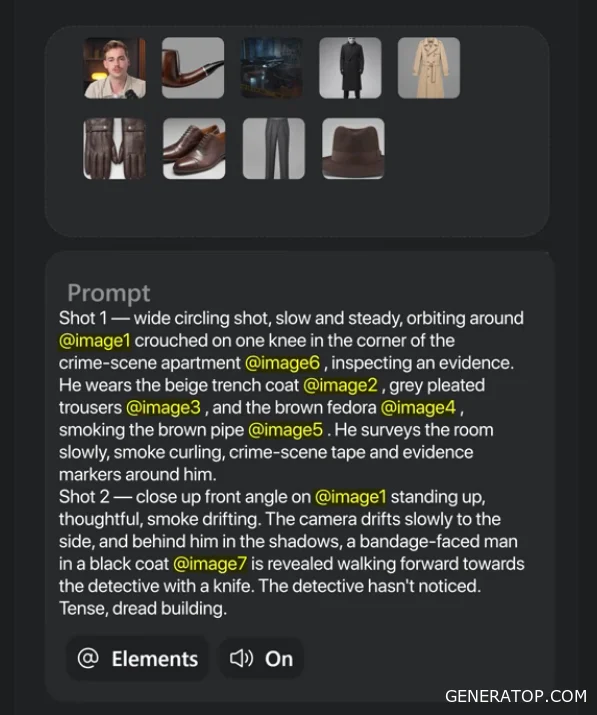
The second option turns out to be the best choice. The third option involves the use of silver. The first and fourth options are so poor that I wouldn’t use such frames in a real project. If I had to choose between them, I would prefer the fourth option, despite its poor color reproduction. In the first option, the transition via darkening is too noticeable.
After the model presentation, Seedance takes first place again, Kling takes second, and Google Omni takes third.
The final test focuses on cinematic scenes. The image shows a girl and a dragon atop a cliff. One frame is a wide frontal shot, and the second is a close-up of the girl from the side.
During the comparison, it becomes clear that the first two results significantly outperform the rest. In the second version, the character’s appearance differs slightly from what is expected—for example, the hair color has changed. However, the quality of the textures, the character’s emotions, and the actor’s expressiveness are significantly better, which is why this version takes first place.
The first version takes second place. The third and fourth versions do not even deserve a bronze medal. In the third case, the dragon is completely out of scale, and the fourth looks too artificial and fails to convey the atmosphere of a cinematic scene.
Continuing the analysis of the results reveals a pattern: Seedance takes first place in blind tests more often than any other. However, a simple comparison of the generated videos is not enough to determine which tool is best suited for various tasks. In addition to the quality of the output, it is important to consider the cost of generation, processing speed, available features, and limitations of each model.
The effectiveness of these models should be evaluated not only by the final image but also by the strengths and weaknesses of each. Even if one model wins comparisons more often, other tools may prove more suitable in specific scenarios.
Let’s start by looking at the Grok model. Grok’s main advantage is its generation speed. Videos are created significantly faster than with Seedance and Kling. In terms of speed, Grok is comparable to Google Omni, and sometimes even works faster. Another important advantage is the quality of speech synchronization and the characters’ emotional performances. In the demo example, where a man hands over a suitcase full of money, the voice sounds natural, and the actors’ performances seem quite convincing. Even despite some artifacts—such as the sudden appearance of the suitcase in the character’s hands—the overall impression remains positive.
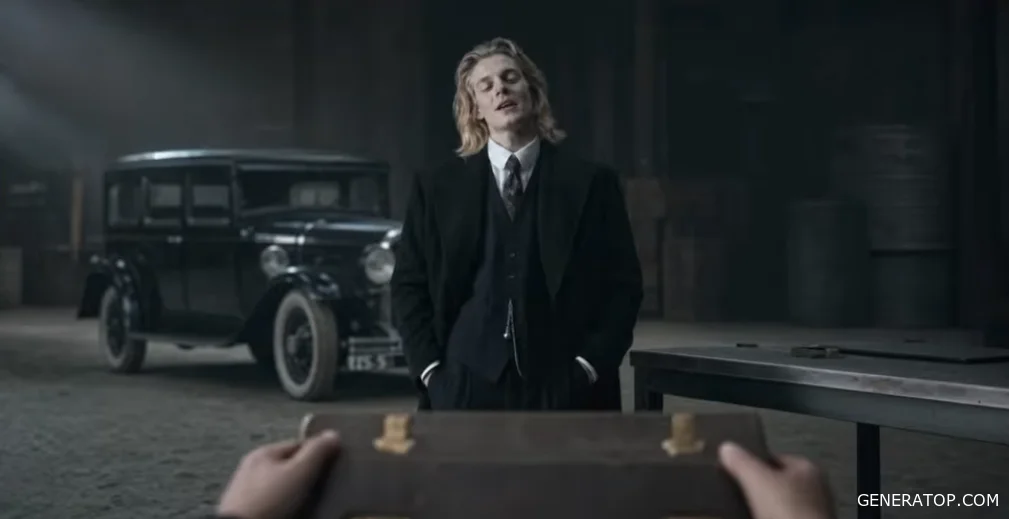
Another feature of Grok is its significantly less strict content moderation. Some models restrict generation capabilities so severely that it becomes impossible to create even relatively ordinary scenes. Grok has noticeably fewer such restrictions. A photograph of a famous person is used as an example. Grok allows the use of such images and successfully generates videos based on them. However, it should be noted that this capability should not be abused.
In practice, when working with Seedance, it is sometimes impossible to achieve the exact desired result due to built-in limitations. With Google Omni, this situation occurs even more frequently, even if the scene contains nothing unusual. When comparing the same scene, it becomes evident that Grok successfully reproduces the character’s distinctive movement style, while Kling produces a significantly less convincing result. The movements look unnatural, with noticeable distortions in body shape and morphing errors. In such a situation, Seedance refuses to generate anything at all, and Google Omni is also unable to create a similar video.
Despite these advantages, Grok has several serious drawbacks. The first drawback is that the maximum resolution is limited to 720p. Compared to models that already offer 4K resolution, this resolution is starting to look outdated. The second drawback is the cost. When comparing prices, it becomes clear that a 15-second video on Grok costs nearly 70 credits. By comparison, Kling allows you to generate a 4K video for about 90 credits, and when generating in 720p, the cost is about three times lower than on Grok. Seedance’s cost is roughly the same when generating images at a similar resolution, but the quality of the result is significantly higher. Therefore, at the same cost, Seedance is the preferred choice.
Another issue with Grok is minor visual glitches. For example, in one video, a character first holds a weapon in one pocket, then suddenly pulls it out of another, after which the weapon disappears completely from the frame. Such minor inconsistencies occur regularly during generation.
The most serious drawback is considered to be poor handling of complex scenes. When a video contains several different shots and camera angle changes, the model becomes confused about the placement of objects and characters. An interrogation scene is used as an example. First, a wide shot is shown, filmed over the shoulder of one of the participants. Then the camera switches to a close-up of the clown. After that, side angles are used.
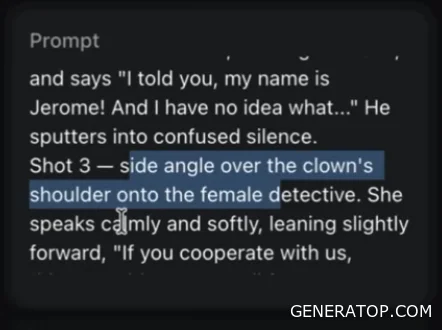
As you watch, it becomes clear that the detective literally “teleports” between the sides of the room. In one frame, he’s standing on the right; in the next, he’s already on the left; and then back on the right again. Spatial logic is completely disrupted. In comparison, a similar scene created in Seedance has virtually no such errors.
From this, we can conclude that Grok is best used in three situations.
- First, when you need to test an idea as quickly as possible.
- Second, when you need to work with images of well-known people.
- Third, if you plan to create scenes that might be rejected by stricter moderation systems.
However, Grok is not recommended for complex videos with a large number of frames, changing camera angles, and the need to maintain the sequence of events.
The next model is Seedance. This model most often took first place in blind testing.
Seedance’s main advantage is its ability to work with a large number of reference images. The model already supports the simultaneous use of more than nine images and also allows users to add audio and video. These capabilities are expected to be further expanded in version 2.5. Another advantage is the consistency of the generated content and the expressiveness of the characters. In all previous examples, Seedance demonstrated natural acting, high-quality voice acting, and convincing emotions more often than any other model.
To further test this hypothesis, a separate scene was created depicting a conversation between two men. The first character demands that the second leave the girl alone. The second replies that he loves her and knows her feelings are mutual. After that, the first character warns his opponent. When comparing the same scene, it becomes clear that Seedance’s version looks significantly more convincing.
Groka’s movements already look unnatural. The Kling game contains serious speech synchronization errors. Lines begin to play after the character has already stopped speaking. Additionally, there are further visual distortions. The Google Omni system was unable to generate this scene because it deemed it too violent.
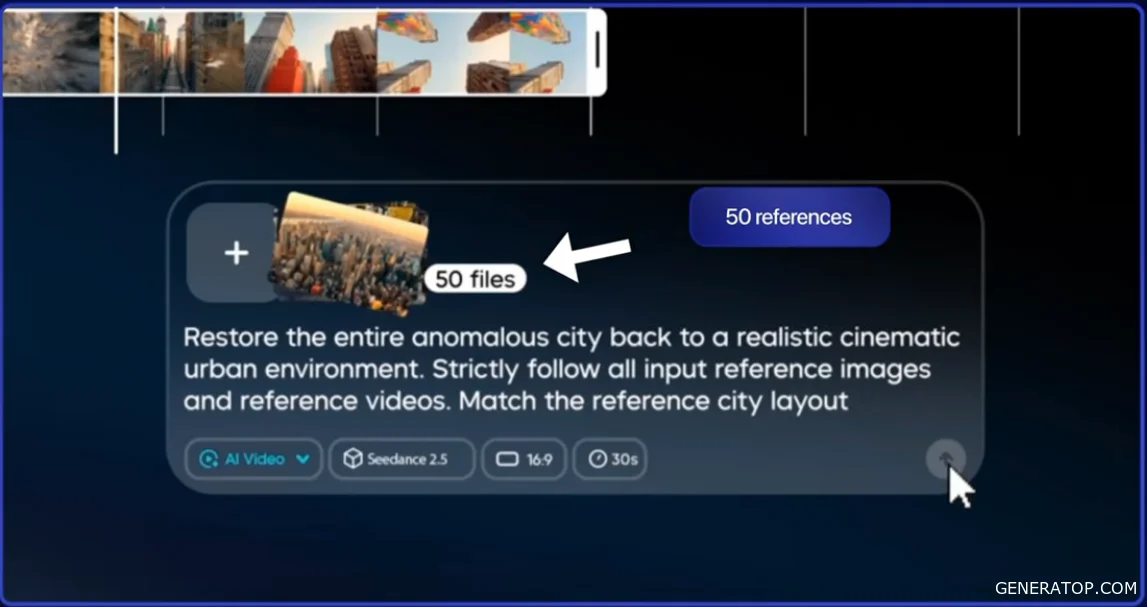
Another unexpected advantage of Seedance is its motion tracking capability. Although Kling and Google have separate, specialized models for motion tracking, Seedance delivered the highest-quality results in blind testing. This model also handles action scenes exceptionally well. Regardless of the complexity of a fight or dynamic action, it maintains the sequence of events better than the others. Although artifacts do occasionally appear, they are significantly fewer than those seen in Kling, Grok, and Google Omni.
Seedance has three significant drawbacks.
- First is its high cost. It is one of the most expensive video generators available.
- The second issue is its long rendering time. Generation takes significantly longer than with most competitors.
- The third drawback becomes apparent in very complex scenes with long prompts and a large number of details.
In such cases, the model sometimes makes mistakes. For example, when recreating the same scene, a second instance of the main character unexpectedly appears, and the number of girls in the frame also changes for no apparent reason. Such errors don’t occur every time, but given the high production costs, each such issue is very expensive.
Next up is the Kling 3.0 model. Kling’s main advantage is its price. It’s one of the most affordable generators that supports 4K video output at 60 frames per second. For its price, this model offers very good capabilities. Kling also supports a large number of sources. You can use up to seven images simultaneously, as well as add one video as an additional source.
In terms of value for money, Kling can be considered a budget alternative to Seedance. The model performs particularly well in simple scenes. If you don’t need a large number of characters, complex choreography, or long sequences of actions, Kling is often the more cost-effective option. For such tasks, it can deliver about 80% of Seedance’s quality at a significantly lower generation cost.
As an example, we’ll use a simple static frame in which a woman gradually begins to cry. When creating this scene in Kling, the result looks very natural. The emotions are conveyed convincingly, and the movement itself is practically flawless. Compared to Grok, the result is also good, but the tears are practically absent.
Seedance also handles this task well, but in this case, using it is impractical. For the cost of a single generation in Seedance, you can get several similar options in Kling and then choose the best one. Google Omni shows a noticeably worse result in this comparison. The character’s skin looks plastic, so this model is less preferable for such static emotional scenes.
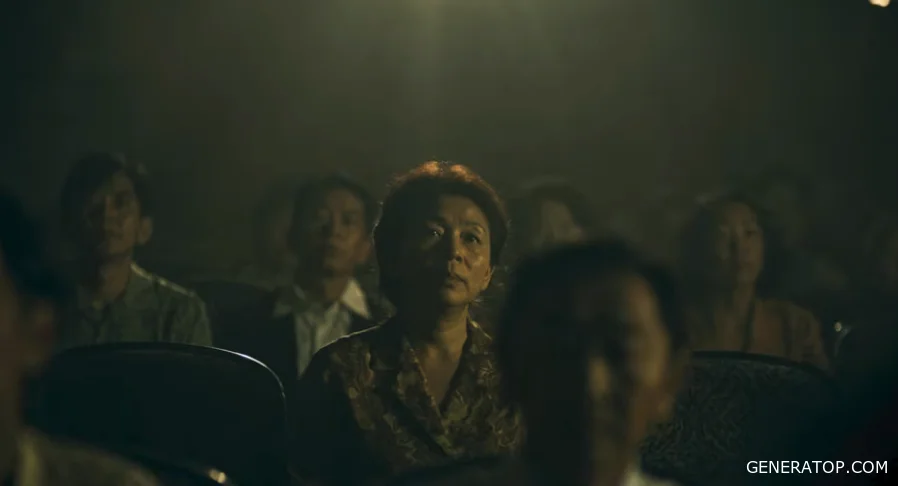
Another advantage of Kling is its ability to follow camera instructions well. If a task describes camera movements in detail—such as a zoom, a pan, or other cinematic techniques—the model usually reproduces them quite accurately. One of the tests used a scenario with several consecutive shots.
- First, a first-person view is shown, with the camera zooming in on a man who is looking at his food with interest.
- The second shot uses a side angle, showing the character cutting a pancake and bringing a fork to his mouth.
- In the third shot, the camera makes a smooth circular motion around the character, who closes his eyes and savors the taste of the dish.
The final shot is a sharp close-up of the man’s face just as he opens his eyes.
When comparing the results, it’s clear that Kling follows the described sequence of shots quite accurately. Grok also handles the task, but unexpectedly adds a voice-over—which wasn’t part of the original assignment at all. The character begins to comment on what is happening, even though this was not required. Seedance produces a very similar result. In some moments, the physics of the movements even look more natural. Google Omni is also capable of performing a similar task. The effect of the sudden zoom-in turned out particularly well, although the overall image quality still lags behind that of its competitors.
Despite these advantages, Kling has several serious drawbacks.
The biggest problem is speech synchronization. This is especially noticeable in videos longer than ten seconds. When creating fifteen-second videos, lip-sync begins to gradually deteriorate. In addition, the quality of the voices themselves is inferior to that of Grok, Google Omni, and Seedance.
The second drawback is the very long generation wait time. Sometimes the wait is comparable to Seedance, and in some cases, it takes even longer. Kling is recommended for many everyday tasks. If you don’t need to use Seedance’s advanced features, Kling can become your go-to tool. It works well for simple shots, static scenes, and situations where you need to minimize generation costs. However, if a video contains a lot of dialogue, it’s better to choose a different model, as speech synchronization remains Kling’s weak point.
Next up is Google Omni. This model stands out significantly from the other participants in this comparison. It follows its own unique path, so a direct comparison with other generators isn’t always entirely accurate. One of Google Omni’s main advantages is its cost. With a Google subscription, you can create a large number of videos at a relatively low price. At the time of this comparison, the model is available only through Google services. The API is not yet open to third-party platforms, so using Google Omni through universal services is not yet possible.
One of the main advantages of this model is its ability to generate content based on existing video footage. This includes not only motion transfer but also the modification of an existing video clip. For example, you can take a source video featuring a person, add an image of the same person in a costume, incorporate an additional character trait, and get an updated version of the clip. The result looks very impressive and demonstrates Google Omni’s core capabilities when operating in “video-in-video” mode.
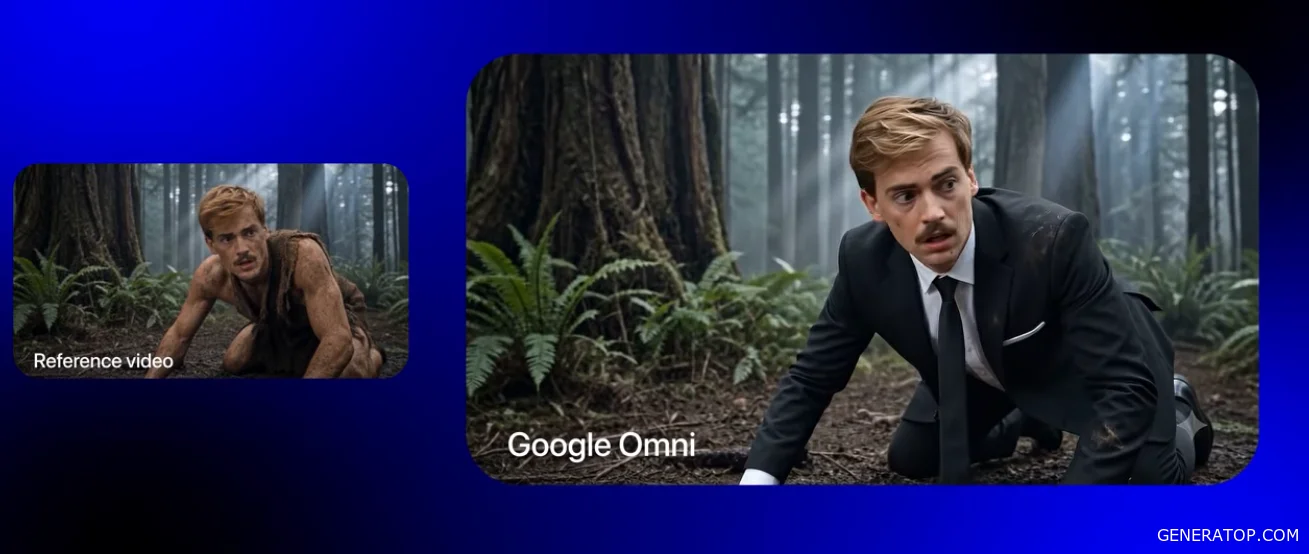
However, it should be noted that achieving such results is not always possible. In practice, producing such high-quality output proves to be a much more challenging task. When comparing the results of similar tasks with Seedance, Seedance’s results appear to be superior. The skin quality, level of detail, and overall realism are higher.
One of Google Omni’s most significant drawbacks is its watermark system. A watermark is always present when using the free plan. Even after upgrading to the basic paid plan, the watermark does not disappear. This rule applies even to the Pro plan, which costs about $20 per month. Only the most expensive plan, Ultra—which costs about $100 per month—allows you to download videos without a watermark. This is considered one of the service’s most significant drawbacks.
Despite these limitations, Google Omni remains a useful tool in certain scenarios. It makes sense to use it when you have a lot of tasks involving the conversion of existing videos, especially if your budget is limited and using Seedance proves to be too expensive. In terms of the quality of the results, Google Omni can be considered a more affordable alternative to Seedance, although the final videos are also of lower quality.
After reviewing all the options, we can draw our final conclusions. Seedance is best suited for complex projects, a large number of references, scenes with multiple shots, action scenes, high-quality acting, and cases where the highest possible level of generation is required. We also recommend keeping an eye out for the release of Seedance 2.5 Pro, as further improvements in model quality are expected.
If your budget allows, Seedance is the primary tool for most tasks. If you have a limited budget, Kling is the optimal choice. It allows you to create high-quality videos at a significantly lower cost and handles most simple scenes well.
Grok is recommended when you need the fastest possible generation, are working with images of famous people, or are creating scenes that might be rejected by other models due to stricter moderation criteria. For complex frame sequences, a large number of references, and maintaining scene continuity, Grok is significantly less suitable.
Google Omni is most useful for video-to-video conversion workflows and editing existing videos. Each model has its own strengths, so the final choice depends not only on the quality of the result but also on the specific task, cost, processing speed, and required feature set.